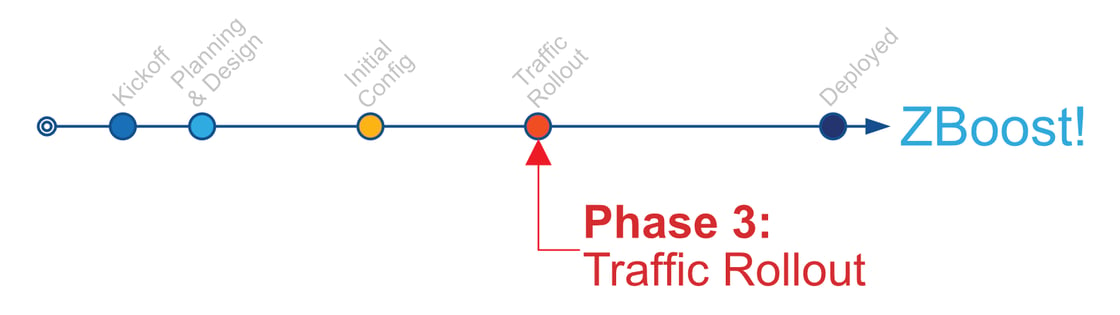
Your Zscaler deployment has now entered Phase 3 – Traffic Rollout, where enablement is expanded and production users and traffic are brought onto the platform in a controlled, phased rollout.
Phase 3 builds on the planning, configuration, and pilot validation completed earlier. The goal of this phase is to safely scale usage, validate real-world behavior, and refine configuration as needed before moving toward final close-out.
Best regards, TBD |TBD
What Happens During Phase 3
During the Deployment phase, SecureDynamics focuses on:
Phased User Enablement
Expanding beyond pilot users to additional user groups in planned increments, aligned with your preferred sequencing and change windows.
Production Traffic Validation (ZIA, if in scope)
Enabling and validating production internet and SaaS traffic through Zscaler Internet Access (ZIA), confirming policy behavior, inspection outcomes, and overall user experience.
Private Application Rollout (ZPA, if in scope)
Expanding Zscaler Private Access (ZPA) to additional applications and user groups, validating application access and user journeys as coverage increases.
Operational Monitoring and Tuning
Reviewing observed behavior and feedback, then applying targeted updates—such as policy adjustments, bypass refinement where appropriate, or forwarding/profile changes—to maintain stability.
What to Expect During This Phase
As rollout progresses, it is normal to see:
Increased user questions or feedback as new groups are enabled
Application edge cases that require fine-tuning
Short validation cycles between rollout steps
This is expected during controlled deployment and is why access is expanded in stages rather than all at once.
How You Can Help Keep Rollout Moving
To support a smooth Phase 3 rollout, we may request:
Confirmation of the next user groups to enable and preferred timing
Coordination around change windows and internal communications
Specific examples of any issues observed (user, time, application/URL, error message or screenshot) to speed diagnosis.
Need Help?
As need, please request any support items to: SecureDynamics Support:
Important: During active deployment projects, SecureDynamics does not provide a formal SLA for support tickets. However, our Zero Trust Success Managers (ZTSMs) will make every reasonable effort to respond quickly and, if needed, coordinate a short working session to assist.
Helpful Resources
Zscaler Deployment Advisor GPT – your interactive GPT guide for deployment sequencing, readiness validation, and early configuration insights.
If you want deeper guidance on any deployment topic—such as connector design, policy structure, or advanced configuration—enter #zboost followed by your most questions directly in our custom GPT.
For example:
#zboost how do I configure SCIM for ZPA with Entra ID?
ZBoost instantly connects you to validated technical content, deployment playbooks, and design templates to help you go even further.